Overview
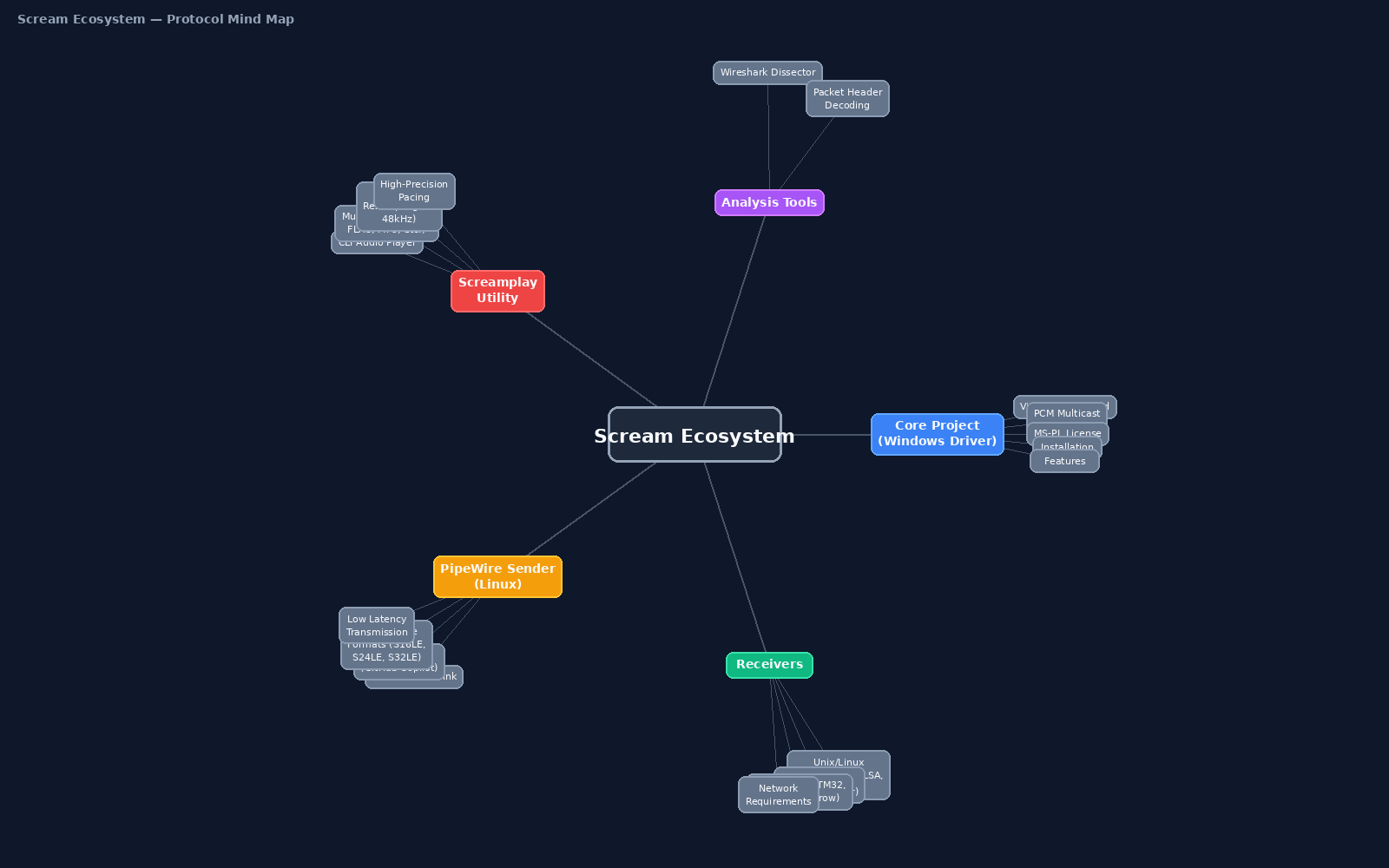
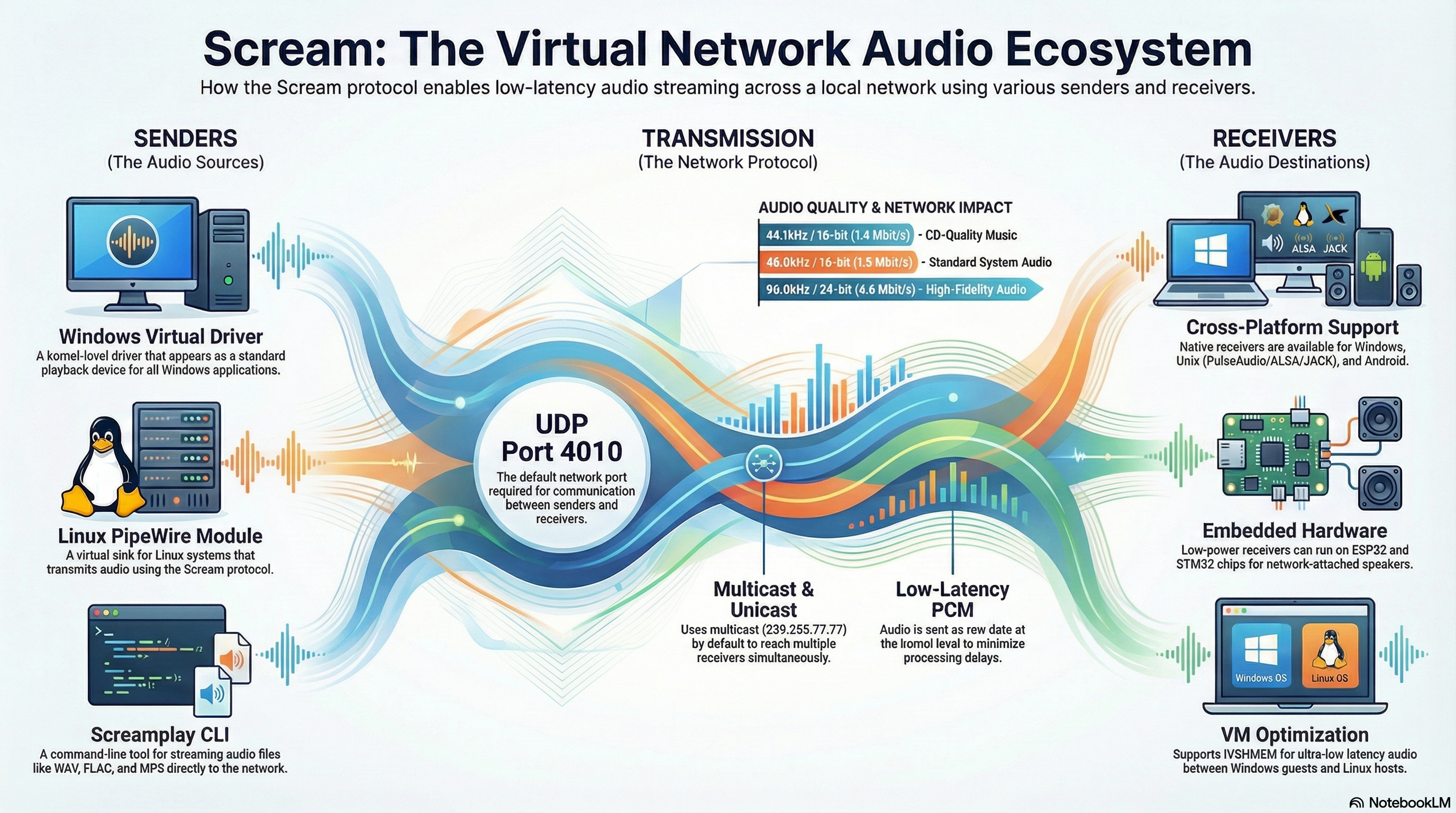
The Scream ecosystem provides a way to transport uncompressed audio over local networks via UDP (Multicast or Unicast). It acts as a virtual audio cable over Ethernet/Wi-Fi, replacing physical cables for VM-to-Host audio, smart factory alerts, and remote device monitoring.
Quick Navigation
- 🗺️ Architecture & Quick Start
- 🪟 Component 1 — Windows Sender
- 🐧 Component 2 — Linux PipeWire Sender
- ⌨️ Component 3 — CLI Audio Playback
- 📱 Component 4 — Android Receiver (ScreamDroid)
- 📡 Component 5 — Other Receivers Setup
- 🎛️ Advanced Setup: Central Audio Relay
- 🔍 Verifying the Stream & Firewall
- 🩺 Troubleshooting
- 📡 Protocol Reference
🗺️ Architecture & Quick Start
Every sender pushes 1157-byte UDP packets to the multicast group 239.255.77.77:4010. Every receiver joined to that group plays the audio. There is no server and no handshake.
 ┌──────────────┐   ┌──────────────────┐   ┌──────────────┐
 │ Windows PC   │   │ Linux PC         │   │ Linux script │
 │ Scream driver│   │ pipewire-scream  │   │ screamplay   │
 └──────┬───────┘   └────────┬─────────┘   └──────┬───────┘
        │   UDP multicast 239.255.77.77:4010      │
        └──────────────┬─────┴────────────────────┘
                       ▼
       ┌───────────────┼────────────────┐
       ▼               ▼                ▼
  ScreamDroid     Unix receiver     ScreamReader
(Android) (Linux) (Windows)Quick Start
- Pick a sender: Windows driver (don't skip the registry step), PipeWire sink on Linux, or screamplay for scripted alerts.
- Pick a receiver: ScreamDroid on Android, or one of the desktop/embedded receivers.
- Verify: if you hear nothing, check that packets reach the receiver before changing anything else.
🪟 Component 1 — Windows Sender (duncanthrax/scream)
Provides a virtual Windows sound card driver that routes all system audio over UDP.
Driver Installation
Installation itself does not require registry manipulation; you can simply use Windows Test Mode as shown below.
- Ensure Secure Boot is disabled in your BIOS.
- Open an Administrator command prompt and enable Test Mode:
Reboot and confirm "Test Mode" appears on the desktop wallpaper.bcdedit /set testsigning on - Navigate to the driver folder and install:
cd <scream folder>\Install\driver\x64 pnputil /add-driver .\Scream.inf /install - Disable Test Mode and restart:
bcdedit /set testsigning off - Open Sound Settings and set Scream as the default playback device.
Required Registry Configuration
You must configure the driver's settings in the registry under Computer\HKEY_LOCAL_MACHINE\SYSTEM\CurrentControlSet\Services\Scream\Options (you will likely need to create the Options key). A reboot is required after changing these values.
Silence Suppression
To avoid sending empty packets (saving network bandwidth/battery on receivers), add a SilenceThreshold (REG_DWORD) key.
Example: Set to 10000 for a threshold of ~0.25 seconds at 44.1kHz.
Unicast Mode
If multicast drops packets on your network, you can switch to unicast. Add UnicastIPv4 (REG_SZ) with the target IP, and UnicastPort (REG_DWORD) with the port number (e.g., 4010).
🐧 Component 2 — Linux PipeWire Sender (zirize/pipewire-scream)
Creates a virtual audio sink in PipeWire. Audio routed to this sink is transmitted via the Scream protocol.
Build & Install
- Install dependencies:
pipewire-devel(orlibpipewire-0.3-dev),cmake,gcc. - Clone and build:
git clone https://github.com/zirize/pipewire-scream.git cd pipewire-scream cmake -B build && cmake --build build sudo cmake --install build - Configure auto-load:
mkdir -p ~/.config/pipewire/pipewire.conf.d cp scream-sender.conf.example ~/.config/pipewire/pipewire.conf.d/scream-sender.conf systemctl --user restart pipewire - Confirm the sink exists, then make it the default output (or route individual apps to it with
pavucontrol/qpwgraph):wpctl status # the Scream sink should be listed under "Sinks" wpctl set-default <ID> # ID taken from the list above
⌨️ Component 3 — CLI Audio Playback (zirize/screamplay)
Streams audio files directly onto the Scream network without needing a virtual sound card. Ideal for automation and alerting scripts.
- Install dependencies:
libsndfile1-dev,libsamplerate0-dev. - Clone and build:
git clone https://github.com/zirize/screamplay.git cd screamplay && make - Play an audio file:
Automatically resamples to 48 kHz. Supports WAV, FLAC, OGG, AIFF, and MP3../screamplay alert.wav - Hook it into monitoring. For example, play an alarm when a host stops answering ping:
ping -c 3 -W 2 192.168.0.50 >/dev/null || ./screamplay alarm.wav
📱 Component 4 — Android Receiver (zirize/screamdroid)
A dedicated Android receiver that plays PC audio through your phone over Wi-Fi. It is highly optimized for battery efficiency and daily usage.
Key Features
- Automatic Call Muting: Detects active incoming/outgoing calls (via Audio Focus, without requiring invasive Phone state permissions) and gracefully mutes the network stream.
- Foreground Service: Reliable background playback even when the screen is locked or the app is dismissed.
- Dynamic Buffer Tuning: Lowers latency on fast networks and scales up buffering gracefully if the connection jitters.
- Installation: Download the APK directly from GitHub Releases.
📡 Component 5 — Other Receivers Setup
You can mix and match receivers. Multiple receivers can listen to the same multicast group (239.255.77.77:4010).
🪟 Windows — ScreamReader
Included in the duncanthrax/scream installer package. Run as administrator to listen to incoming streams on another Windows PC.
🐧 Linux — Unix Receiver
Located in Receivers/unix of the main Scream repo. Interfaces with PulseAudio, JACK, or ALSA.
cd scream/Receivers/unix
cmake -B build && cmake --build build
./build/scream -i eth0       # multicast
./build/scream -u -p 4011    # unicast
🔌 Embedded / Hardware
For ethernet-attached active speakers, you can use third-party receivers for cornrow, ESP32, or STM32F429.
🎛️ Advanced Setup: Central Audio Relay & Mixing
By default, the Scream multicast protocol does not properly support multiple simultaneous audio sources on the same network (streams will collide and cause severe audio glitches). If you need to monitor multiple PCs or VMs simultaneously, you can use a Linux host as a central mixing relay.
For a complete, step-by-step tutorial on configuring the Linux Relay (including routing with qpwgraph and setting up Unicast configurations), check out the Detailed Relay Setup Guide in the pipewire-scream documentation.
How It Works
- Senders (Peers/VMs): Each Windows PC or VM is configured to send its audio via Unicast to a specific, unique port on the Linux Relay (e.g., PC 1 to port 4011, PC 2 to 4012).
- Linux Relay (Mixer): The Linux host runs multiple instances of the Scream Unix Receiver (one for each port). These receivers output audio into a single, shared PulseAudio or PipeWire virtual sink, effectively mixing the sounds.
- Broadcaster: The Linux host uses
pipewire-screamto capture this mixed sink and broadcasts the final, unified stream via Multicast (port 4010) to all your receivers.
🔍 Verifying the Stream & Firewall
Most "no audio" problems are network problems. First check whether packets reach the receiver host:
sudo tcpdump -n -i any udp port 4010
# expected: a steady stream of lines ending in "UDP, length 1157"
If nothing shows up, open the port on the receiver (and on the relay, if you use one):
🐧 Linux
sudo ufw allow 4010/udp
# or (firewalld)
sudo firewall-cmd --permanent --add-port=4010/udp
sudo firewall-cmd --reload
🪟 Windows (admin)
netsh advfirewall firewall add rule ^
  name="Scream" dir=in action=allow ^
  protocol=UDP localport=4010
If packets appear on a wired host but not over Wi‑Fi, the access point is probably filtering or rate-limiting multicast. Switch that sender to unicast.
🩺 Troubleshooting
| Issue | Check |
|---|---|
| No audio received | Run the tcpdump check. Open UDP 4010 in the firewall. Confirm multicast/IGMP is allowed on the router/switch. Otherwise use unicast (Windows registry or the Linux config). |
| Windows driver installed but silent | The Options registry key is required on Windows 10/11. Set the values and reboot. Make sure Scream is the default playback device. |
| Garbled / choppy mix of two sounds | Two senders are sharing one group/port. Give each its own port, or use the relay. |
| Stuttering or skips | Use a wired connection where possible. Over Wi‑Fi, prefer unicast. Increase the receiver's buffer/latency. |
| Phone battery drains quickly | Set SilenceThreshold on Windows senders so nothing is sent during silence. Use a relay so the phone listens to only one stream. |
| High bit rate warning | Use 48 kHz / 16-bit for 5.1+ channels. Avoid 24/32-bit in multichannel mode to stay under network limits. |
📡 Protocol Reference
The Scream wire format is simple, which makes it easy to write your own sender or receiver (e.g. on a microcontroller).
| Field | Value |
|---|---|
| Transport | UDP. Multicast 239.255.77.77:4010 by default; unicast optional |
| Packet size | 5-byte header + 1152 bytes of interleaved little-endian PCM = 1157 bytes |
| Byte 0 | Sample rate. Bit 7: base rate (0 = 48 kHz, 1 = 44.1 kHz). Bits 0–6: multiplier (e.g. 0x01 = 48 kHz, 0x81 = 44.1 kHz) |
| Byte 1 | Sample width in bits (16, 24, 32) |
| Byte 2 | Number of channels |
| Bytes 3–4 | Channel mask (WAVEFORMATEXTENSIBLE dwChannelMask, little-endian) |
Bandwidth: 48 kHz × 16-bit × 2 ch ≈ 1.5 Mbps. 5.1 channels at 48 kHz/16-bit ≈ 4.6 Mbps.